
Mortgage Business Intelligence
Mortgage Branch Profitability
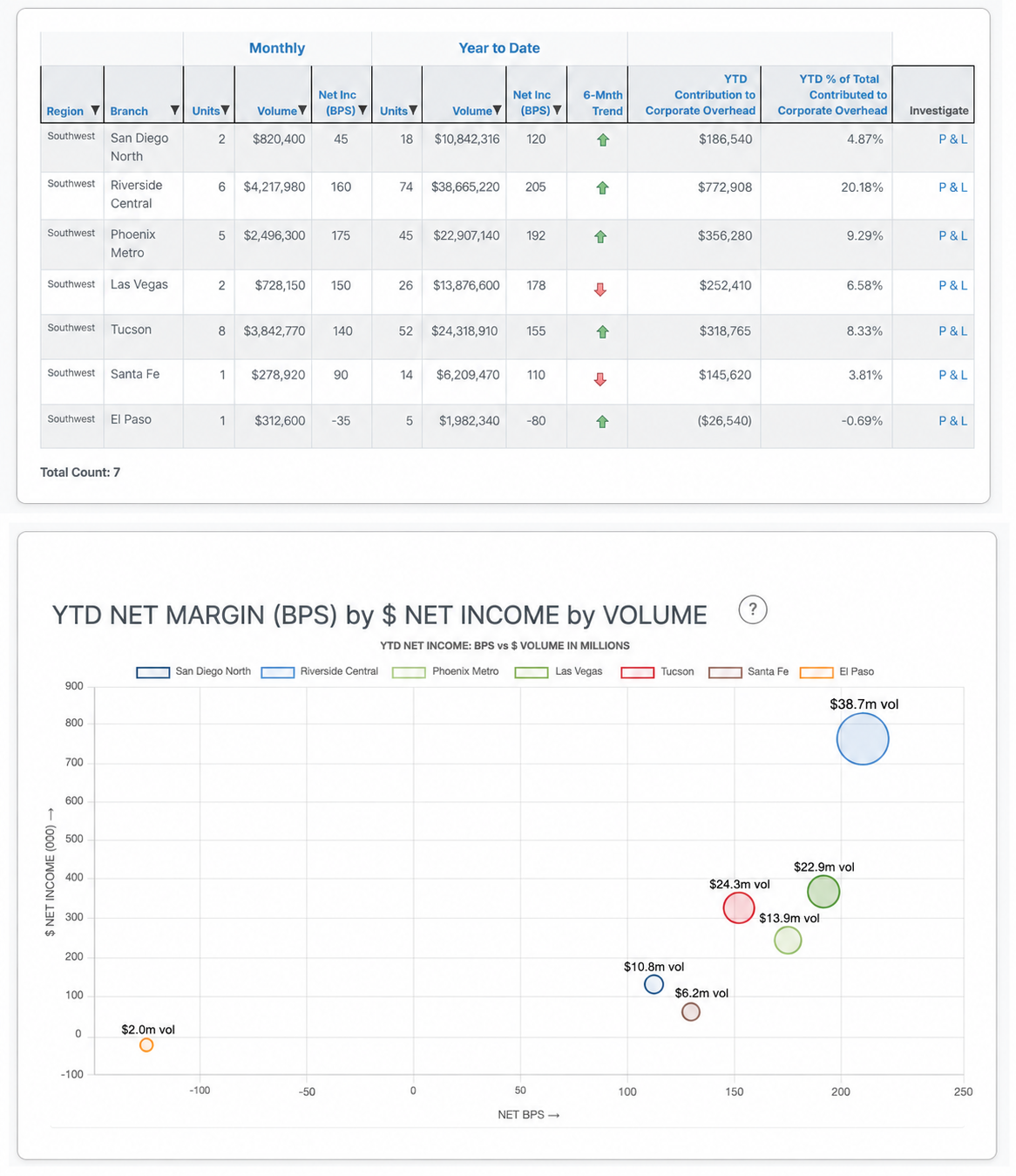
A branch is profitable when its revenue covers direct and allocated costs under the company's P&L rules. Similar funding volume does not mean similar contribution.
| What to know |
|
|---|
A busy branch is not automatically a profitable branch
Branch profitability asks whether a location's revenue covers its direct and allocated costs. Volume, loan mix, compensation, and expense allocation can all change the answer. Two branches with similar funding totals can contribute very different results.
What the branch P&L has to include
- Revenue associated with the branch's funded loans.
- Direct costs such as compensation, benefits, occupancy, and technology.
- Allocated corporate overhead, using rules the company applies consistently.
- A presentation in both dollars and basis points so differently sized branches can be compared.
Telemetry BI builds corporate and branch P&Ls from the lender's chart of accounts. The product page describes revenue allocated from pricing and gain-on-sale data in the LOS, and expenses mapped through allocation rules tied to the general ledger. Branch managers can open those P&Ls without waiting on a one-off accounting package. Trend indicators and budget-versus-actual comparisons are part of the described reports.
How to read a difference
Start with the branch result, then drill into revenue and expense. A weak result may be low volume, a different loan mix, compensation, or an allocation. Loan-level and expense drill-downs exist so the review can move from the P&L line to the activity behind it. Regional and company views use the same method, which is what makes a branch comparison fair.
Continue with production analytics and pipeline analytics.
More from this category: Mortgage Business Intelligence articles.